


The fast-paced market competition and evolving business landscape challenge companies to stand out. They have to accelerate innovation to keep up with the latest trends. However, the increasing amount of back-office tasks prevents them from moving forward.
Fortunately, you gain a competitive advantage by delegating non-core functions to managed service providers (MSPs). Acquiring outsourced technical support lets you focus on enhancing your products and services.
But to ensure a good working relationship, you must know your potential MSP and its offerings. Here, you’ll discover the benefits, risks, and factors to expect when outsourcing your IT services.
What is a managed service provider (MSP)?

A managed service provider (MSP) is a third-party company that remotely manages IT infrastructure and end-user systems for clients.
These third-party companies perform day-to-day management tasks, including network and security monitoring. They also help prevent customers from experiencing prolonged system downtime and interruptions.
Many MSPs specialize in specific IT segments such as cybersecurity, help desk support, and information handling. Others run their businesses in vertical markets such as financial services, healthcare, and manufacturing. They also vary depending on the size of their target clients and the scale of responsibilities they assume.
Below are the categories of MSPs:
- High-level MSPs deliver a wide range of IT-focused back-office outsourcing services.
- Pure-play MSPs provide small-scale tech services such as network monitoring.
- Staffing legacy MSPs cater to mid-level businesses and Fortune 500 companies.
Small, medium, and large companies aiming to hire an MSP must also understand how it charges for its services. This will help them better plan an outsourcing budget that aligns with their operational strategies and objectives.
MSPs usually use the pricing models below:
- All-inclusive: A buffet-like flat fee for all IT management and support services
- Tiered: A bundle of services based on client needs
- Per-device: A fixed charge for each monitored device
- Monitoring-only: A payment option for IT infrastructure tracking and alerting
- Per-user: A service plan for accommodating each user with multiple devices
8 types of services MSPs offer
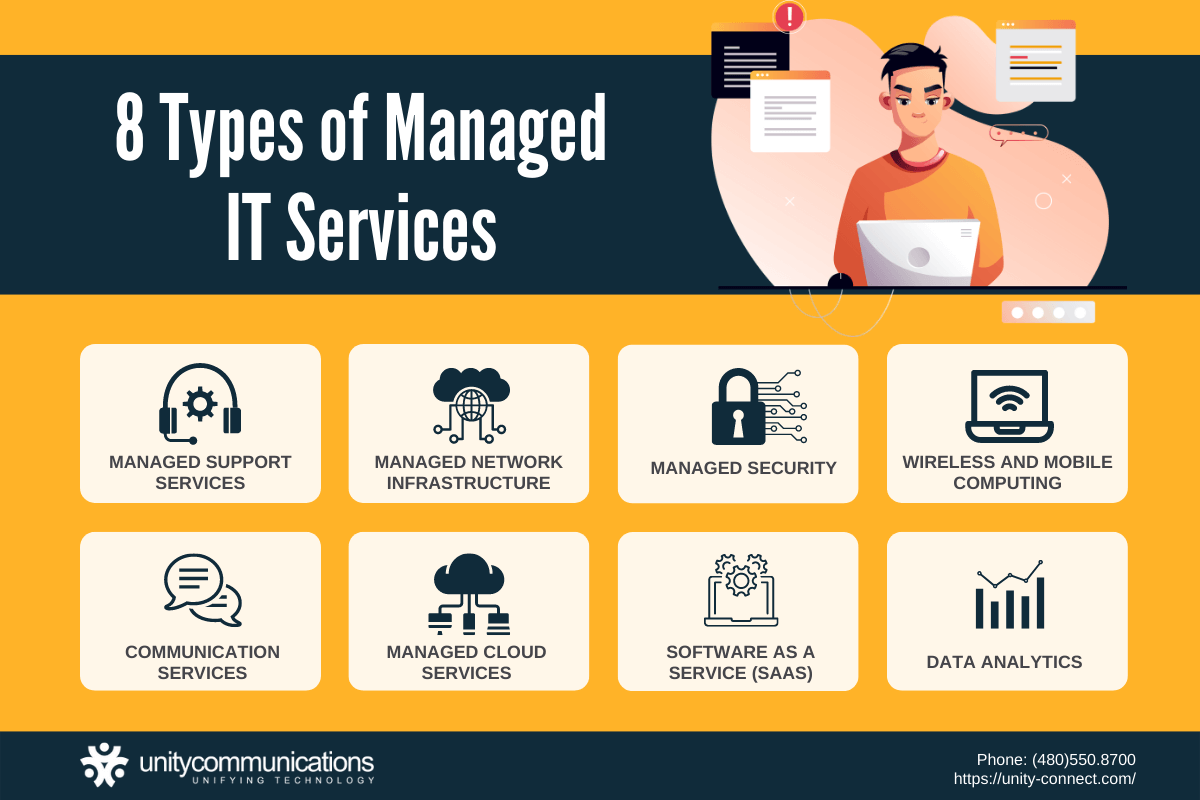
As application service companies emerged in the 1990s, they spurred the growth of managed service providers. In their early days, MSPs solely performed remote server and network operations. They then expanded their service scope to distinguish themselves from other providers.
Now, vendors provide back-office outsourcing to handle time-consuming, repetitive IT tasks. They offer such services through a fixed contract or a subscription model. Companies looking to reduce costs and streamline workloads hire MSPs to deliver managed IT services such as those below.
1. Managed support services
Businesses transact with other companies and their customers daily. Their dealings involve large-scale processes, paperwork, and data exchange. IT departments strive to automate and streamline this work as much as possible.
To ensure smooth operations, companies spend considerable funds on hiring professionals and deploying modern systems in-house. They use these resources to address various issues, but existing staff must be trained and infrastructure constantly updated so that problems can be resolved.
Here’s where MSPs take the spot. They provide managed support services covering all IT tasks, including technical support, desktop assistance, and troubleshooting. They perform such tasks quickly and accurately, thanks to a well-trained workforce and advanced software solutions.
Because MSPs specialize in this field, companies fully entrust their back-office functions to them. This advantage allows companies to focus on their primary capabilities and offerings. So even during peak season, they can keep primary and non-core projects on track.
Client examples
After winning a large contract, a U.S. IT company needed 24/7 helpdesk coverage instead of an 8-hour day. Unity Communications built a tier-1 technical support team and developed an integration to connect its teams to the client’s ticketing platform, so both teams tracked the same SLAs and KPIs. The client expanded call center operations to three countries and secured additional contracts.
Meanwhile, an e-learning company faced a similar scaling problem. Its internal help desk processed close to 700 tickets per day via phone, email, and web chat. Unity Communications built an offshore team that worked inside the client’s existing Zendesk account. Within two weeks, the team resolved 90% of tickets and raised satisfaction to 92%, while the client cut help desk labor costs by 65%.
2. Managed network infrastructure
Network infrastructure is a crucial part of modern enterprise operations. It consists of hardware and software solutions that help businesses manage certain technologies. They also use these platforms to connect with multiple users, devices, and third-party networks.
Many companies hire managed service providers to reduce operating costs and leverage expert network operators. MSPs construct, use, and secure networks to support their clients. They deliver these products either as a cloud infrastructure service or by directly installing and running them in their clients’ facilities.
Managed network support can include the following solutions and services to monitor back-end IP-based communication infrastructure and data.
- Servers, routers, and switches
- Operating system and firewall software
- Managed local area network (LAN) and wide area network (WAN)
- Managed gateway and wireless network
- Automated network support
3. Managed security
According to the FBI’s 2024 Internet Crime Report, tech support fraud cost victims $1.5 billion, making it the third-costliest crime category tracked by the Internet Crime Complaint Center that year, behind investment fraud and business email compromise. Scammers impersonate leading tech companies to fix nonexistent technical issues or renew subscriptions.
To avoid such threats, companies hire managed service providers to improve their protection. MSPs are often referred to as managed security service providers (MSSPs) in this field. They commonly perform the tasks below to safeguard clients’ confidential data and assets:
- Firewall and patch management
- Intrusion detection
- Virtual private network
- Vulnerability scanning
- Antiviral service
- Security updates
- Multi-factor authentication
- Data encryption
- Risk management
- Threat mitigation
MSSPs monitor customers’ devices and systems using security operations hubs installed at their facilities or leased from other data center providers. These centers enable them to deliver 24/7 security support while minimizing the need to hire and train more personnel. Hence, companies gain excellent security at an affordable cost.
4. Managed wireless and mobile computing
Wireless and mobile computing technologies give end users access to critical business data and digital resources while on the go. The systems consist of mobile devices, such as laptops and smartphones, and wireless network connectivity via Wi-Fi or cellular data. They enable round-the-clock data storage, retrieval, and sharing.
Its convenience has expanded the applications of mobile computing across business and consumer markets, especially during the surge in remote work. It facilitates the Internet of Things, enabling streamlined collaboration and communication. Companies also use the solution for healthcare, security, and surveillance.
Small and medium-sized enterprises unable to establish their own wireless connections turn to MSPs for managed mobile computing. They get integrated mobile software tools and services to support remote or hybrid work setups. This capability provides their in-house teams with greater flexibility, leading to increased productivity and efficiency.
5. Managed communication services
Communication services help businesses engage with customers and keep them. In Zendesk’s CX Trends 2026 report, 88% of consumers expect faster response times than a year ago. Companies that fall short lose customers to competitors.
Hence, IT businesses must consider speed and convenience when providing technical support and help desk services. They ensure that their in-house employees and communication systems can handle a high volume of customer inquiries. But to do that, they need to invest considerable funds in training their agents and deploying modern solutions.
Companies hire MSPs for cost-efficient customer support to avoid spending extra dollars on this non-core function. MSPs offer managed communication services that accelerate responses to repetitive customer queries. They use the following communication infrastructure to provide such services effectively.
- Contact center software
- Voice over internet protocol (VoIP)
- Chatbots
- Interactive voice response (IVR) system
- Robotic process automation (RPA)
- Videoconferencing
- Virtual assistance
- SMS and instant messaging applications
- Online multilingual help desk support
6. Managed cloud services
As technology evolves and global crises persist, many organizations adopt managed cloud services to conduct digital transactions and facilitate online collaboration. Managed service providers handle their clients’ cloud platforms, either partially or completely. Their work encompasses various IT tasks, such as those listed below, to help speed up business operations.
- Cloud migration, maintenance, and optimization
- 24/7 omnichannel help desk support
- Web hosting and implementation
- Engineering on demand
- Automated task distribution
- Real-time data access and sharing
Delegating cloud management to MSPs allows companies to reduce hiring and training expenses. It also enables in-house IT teams to prioritize more complex projects. This advantage helps drive new business outcomes and generates more revenue.
7. Managed software as a service (SaaS)
Companies need software programs to ease their workloads and address backlogs. These solutions help employees complete their tasks more quickly and accurately. They also help avoid project delays and burnout, improving their core products and services.
For further convenience and cost efficiency, companies acquire subscription-based software solutions from managed service providers. In-house teams using managed SaaS gain unlimited access to all software features for the duration of their contract with an MSP. MSPs also provide updates and security patches for software products such as:
- Office productivity suite
- Universal communication software
- Antivirus software
- Video and photo editing platforms
- Media player
- Web browser
- Data backup and storage
- Task management and collaboration software
Companies must assess the SaaS included in a contractor’s service packages when outsourcing data entry. They must verify that the software tools are compatible with their existing systems and security measures to ensure time-saving and risk-free operations.
8. Data analytics
Data serves as a pillar of every company’s success. It’s essential to many administrative functions such as customer service and marketing. How businesses gather and use data significantly influences decision-making and project implementation.
Data-related activities slow down or hinder companies from working on their core projects, despite the business value of those projects. If the same in-house team handles these labor-intensive tasks, employees spend a lot of time organizing and analyzing large volumes of data from daily transactions. As a result, they encounter delays in developing and executing growth-focused initiatives.
Businesses thus outsource data entry services to ease workloads and reduce workforce burdens. Managed service providers have employees skilled in data management and analytics. They also use advanced software tools to perform the following work accurately and rapidly:
- Collect enterprise and customer data
- Categorize and manage datasets
- Monitor market trends and patterns
- Analyze changes in customer preferences and demands
- Produce reports and strategies for improving the company’s products and services
Benefits of working with an MSP

In addition to understanding what an outsourced IT provider is and what services it offers, you must also know the advantages and disadvantages it brings. These insights will help you align your managed service investment with your operating budget.
Below are the benefits of working with MSPs:
- Reduce expenses. Outsourcing eliminates the need to hire, train, and retain skilled employees. You also don’t have to deploy and maintain a complex IT infrastructure. MSPs already have these resources and provide them through affordable service packages.
- Emphasize core capabilities. Contractors train their workers to manage time-consuming IT tasks effectively. They also use advanced software solutions to automate repetitive processes. You can focus on enhancing your core capabilities and offerings.
- Enhance scalability. As customer demands change and your business expands, your technology needs to evolve as well. Vendors help upgrade your IT infrastructure to accommodate such evolving requirements. They deliver high-tech solutions and perform continuous system monitoring to improve scalability.
- Receive real-time support. Managed service providers optimize multiple cloud-based software solutions to streamline task completion. You can expect 24/7 IT support in real time.
- Improve security and compliance. MSPs earn their clients’ trust by implementing strict security measures. They also perform regular compliance checkups to avoid unexpected violations and sanctions.
Drawbacks of managed IT services
Outsourcing solves real problems, but it creates its own set of trade-offs. Before signing with a managed service provider, weigh these drawbacks against the benefits above.
- Decreased business and IT collaboration. An MSP splits its attention across many client accounts. Its team might take longer to learn your specific systems and workflows than an in-house hire would.
- Lessened on-site availability. Most MSP staff work remotely. If a problem requires hands-on repair or physical access to a device, you might need a local technician, which the MSP does not provide.
- Reduced knowledge retention. When routine IT tasks are outsourced, your internal team builds less firsthand knowledge of your systems over time. That gap can slow you down if you switch providers or bring IT back in-house later.
- Heavy reliance on one provider. Depending on a single MSP for most of your IT support means an outage, staffing shortage, or contract dispute on their end affects your operations too. Regular communication with your provider lowers this risk but does not remove it.
When is the best time to outsource IT services?

The best time to outsource IT is when turnover costs rise, updates outpace your team, coverage gaps appear, or core projects stall.
- Skilled IT staff cost more to keep as demand for their skills grows. Robert Half’s 2026 technology salary guide projects average pay increases across IT roles. Replacing a departing specialist means training someone new from scratch, often at a cost close to what it would have taken to retain them.
- Vendors update software faster than your team can keep up. Security patches and feature releases follow the vendor’s schedule. A team already handling daily tickets has less time to test and deploy every update promptly.
- Coverage gaps show up in monitoring. One or two in-house staff can’t watch every server and endpoint around the clock. Unpatched systems and unmonitored logins are common entry points for attackers.
- Core projects keep slipping. When the same employees build new tools and field help desk tickets, tickets get answered first because they carry a deadline.
How to choose an MSP
Every business has different needs and objectives, so the right MSP for one company might be the wrong fit for another. Before signing an agreement with a third-party company, consider these tips:
- Map your in-house gaps first. Identify which tasks your internal team struggles to keep up with, whether that’s workload volume, cybersecurity measures, or day-to-day help desk demands. This clarifies what you actually need an MSP to cover.
- Review the range of services offered. Some MSPs deliver fully managed IT support across networks, cloud operations, and end-user devices. Others specialize in a narrower slice, such as remote monitoring and management or help desk services alone. Match their offerings to your workload.
- Ask about service level agreements. SLAs spell out response times, uptime commitments, and ownership. Look for dedicated personnel assigned to your account rather than a rotating pool of unfamiliar technicians.
- Confirm their cybersecurity measures. Providers should conduct regular vulnerability assessments, deploy intrusion prevention systems, and provide real-time threat detection. Ask how they ensure compliance with regulations relevant to your industry, particularly in industries such as healthcare or finance.
- Check their disaster recovery services. A capable MSP has a backup and disaster recovery plan that keeps your business running during an outage. Ask directly how they ensure business continuity when systems fail.
- Look at onboarding and offboarding. A smooth onboarding process signals how the partnership will run day-to-day. Ask what offboarding looks like too, so you know what happens to your data and access if you switch providers later.
- Compare pricing against value. Enterprise-grade tools and remote access capabilities cost more, but a predictable cost structure helps you budget without surprise charges mid-contract.
Prioritize providers who take the time to understand your workload instead of selling a one-size-fits-all package. Choosing the right MSP comes down to matching their strengths to what your business actually needs to grow.