


Finding it tough for your small and medium-sized businesses (SMBs) to stay responsive after closing time? Artificial intelligence (AI) after-hours messaging can handle customer inquiries and maintain engagement. In particular, an after-business-hours text message system keeps you connected while your team is offline.
Pairing these tools with business process outsourcing (BPO) lets your SMB operate cost-effectively. Explore how top use cases and practical strategies keep your operations humming smoothly.
What AI features boost after-business-hours text message replies?
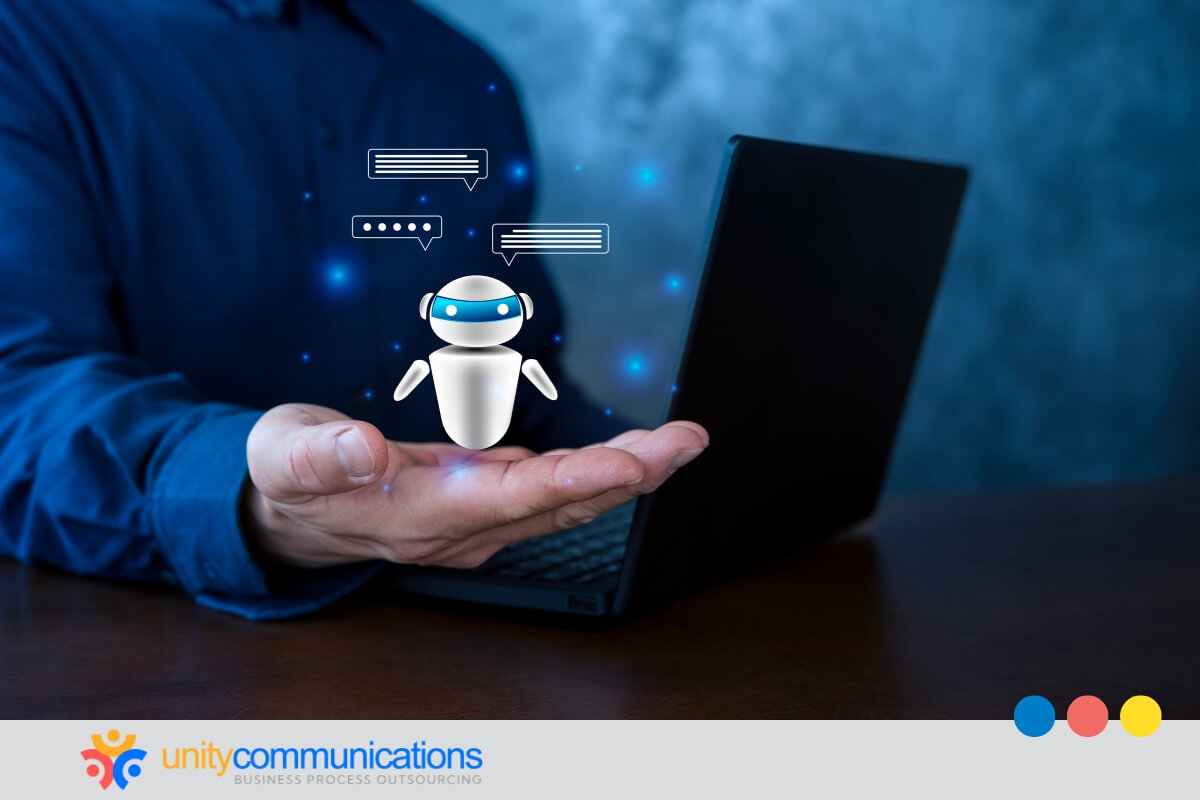
AI enhances after-hours communication with language understanding and intent recognition, letting you respond quickly without staff. An after-business-hours text message delivers human-like replies automatically.
Messaging works as a high-impact channel. According to HubSpot, 10.5% of marketers rank SMS, WhatsApp, and Messenger among their top return on investment (ROI) drivers. This shows that AI after-hours texting isn’t just convenient. It boosts revenue by engaging customers and prompting follow-ups.
Key AI features that make this possible include:
- Understanding customer intent to tailor responses
- Generating context-aware messages in real time
- Prioritizing urgent inquiries over routine questions
- Learning from interactions to improve future replies
These AI features improve accuracy, relevance, and speed, keeping engagement high and client relationships strong.
What are the top use cases of an after-business-hours text AI system?
Texting dominates daily mobile behavior, with 80% of consumers ranking it as their most important phone activity. Integrating AI into the process makes it a potent communication tool that strengthens engagement and increases revenue.
Here are the top use cases of an after-business-hours text AI system:
1. Handle customer inquiries 24/7
Customer adoption of AI is growing. Specifically, 74% of customers have recently interacted with an AI-powered service channel, indicating that automated systems are increasingly trusted for handling inquiries.
In the context of after-hours messaging, an AI-powered answering service provides 24/7 coverage for customer inquiries by delivering quick, accurate answers. It reduces delays and keeps your business accessible around the clock. It:
- Answers questions about product details and services promptly
- Troubleshoots common issues using pre-trained knowledge
- Flags complex cases for human review
- Logs interactions for tracking and follow-up
- Updates customer accounts automatically
By handling inquiries efficiently around the clock, AI keeps you responsive while preserving staff capacity throughout the day.
2. Capture and qualify leads even offline
AI captures and qualifies leads by automatically engaging prospects. It asks questions, gauges interest, and spots high-potential opportunities. An after-business-hours text message ensures timely engagement, even without human intervention.
The AI can:
- Ask targeted questions to qualify prospects.
- Score leads based on readiness or priority.
- Segment contacts for follow-up by sales or service teams.
- Schedule callbacks or appointments automatically.
- Log all interactions for tracking and reporting.
According to Salesmsg, automated SMS lead follow-up generates response rates up to eight times higher than email, compressing the window between an after-hours inquiry and a qualified conversation from days to minutes. For SMBs operating without overnight staff, that speed advantage is the difference between capturing a lead and losing one.
By handling lead capture and qualification, AI can increase response rates and maximize your sales potential.
3. Schedule appointments without human intervention
AI can schedule appointments automatically by checking availability, confirming bookings, and handling rescheduling without staff involvement. This keeps you responsive when your team is offline, preventing missed opportunities. An after-business-hours text message can let clients book directly, keeping your calendar full.
To manage appointments efficiently, AI can:
- Check real-time availability across calendars.
- Send confirmations and reminders automatically.
- Handle rescheduling requests promptly.
- Block double-booked slots and manage conflicts.
- Integrate bookings with customer relationship management (CRM) and calendar systems.
- Send personalized follow-up messages to reduce no-show rates.
Automating appointment management enables your lean team to concentrate on higher-value work and keep clients engaged. This improves service efficiency and supports business continuity beyond standard office hours.
4. Send order updates and service notifications
AI automatically communicates order updates and service notifications to customers, sending timely messages without staff involvement. This keeps you transparent and builds trust while your team is unavailable. Automated notifications reduce delays and provide a seamless experience.
To keep customers informed efficiently, AI can:
- Send order confirmations immediately after purchase.
- Provide real-time shipment tracking and delivery updates.
- Issue reminders for upcoming appointments or services.
- Proactively notify about service changes or delays.
- Record interactions in your CRM for future reference.
- Offer follow-ups to confirm satisfaction or next steps.
- Dispatch tailored promotions based on recent customer activity.
By automating updates, AI builds trust, reduces status inquiries, and frees up teams to focus on top-priority duties while keeping communication reliable after hours.
5. Detect emergencies and escalate them intelligently
AI detects emergencies and escalates them by analyzing intent, urgency, and risk signals in real time. It routes critical cases to the right person through escalation workflows while the after-business-hours text message system continues to process routine inquiries.
To prioritize urgent situations, AI can:
- Scan for high-risk keywords tied to safety, billing disputes, or service failure.
- Interpret sentiment spikes and repeated follow-ups as distress signals.
- Cross-check client history for medical flags or high-value status.
- Trigger instant alerts to on-call staff or third-party team supervisors.
- Escalate via SMS, email, or dashboard notifications.
- Pause automated replies for sensitive cases.
- Log time-stamped escalation trails for compliance and review.
That said, AI escalation systems have a documented failure mode worth acknowledging: sentiment misclassification.
A customer expressing frustration through sarcasm or understated language (e.g., “Great, another delay”) can be perceived as neutral by a model trained on explicit distress signals, causing a high-priority case to remain in the routine queue.
This is precisely where human oversight closes the gap. A trained human agent monitoring the escalation dashboard can catch misclassified conversations before they become service failures.
This structured triage protects revenue, safeguards clients, and keeps your operations disciplined.
6. Prioritize support requests for the next business day
AI prioritizes support requests for the next business day by analyzing urgency, topic, and client history in incoming messages. It ranks and categorizes conversations by assigning priority scores and queue placement, even when submitted via an after-hours text message channel.
To organize actionable queues, AI can:
- Tag messages by service type, billing, or intake concern.
- Assign priority levels based on urgency indicators.
- Group repeat clients or high-value accounts for early review.
- Route technical issues to specialized staff inboxes.
- Attach summarized transcripts for quick context.
- Flag time-sensitive cases for first-response scheduling.
- Sync categorized tickets into the CRM or helpdesk dashboard.
This triage equips your compact team to respond more quickly and start the day with a focused action plan.
7. Personalize messages based on customer intent
AI personalizes messages based on customer intent by reviewing prior interactions, preferences, and behavioral patterns. It tailors responses and recommendations through an automated system, including a post-business-hours messaging platform, to deliver human-like communication while your team is unavailable.
To adjust messages effectively, AI can:
- Detect the purpose of inquiries to suggest next steps.
- Recommend relevant services or solutions based on client history.
- Adjust tone to reflect urgency, friendliness, or formality.
- Reference previous interactions for contextual continuity.
- Offer targeted promotions or reminders specific to each client.
- Anticipate follow-up needs and guide clients accordingly.
- Integrate insights from CRM or booking systems for personalized content.
By customizing communication, AI strengthens engagement and deepens client trust while maintaining operational efficiency beyond standard hours.
8. Integrate with your customer systems
AI integrates with your customer systems after hours through automated connections to CRMs, help desks, and other operational platforms. This lets your small business log messages, update records, and trigger workflows without human intervention, keeping operations smooth when your team is offline.
To optimize integration, AI can:
- Automatically create support tickets from incoming inquiries.
- Log conversation details in client profiles or CRM records.
- Trigger follow-up workflows for high-priority messages.
- Update appointment schedules or availability in real time.
- Route specific cases to the appropriate department queue.
- Sync notes and interaction history with help desk platforms.
- Generate alerts or reminders for follow-ups.
By keeping data flowing, AI ensures operations run smoothly, reduces delays, and readies your team for the next day.
9. Recover missed calls and abandoned customer inquiries
AI recovers missed calls and abandoned inquiries via automated follow-up messages, responding during off-hours. By using an after-business-hours text message system, you can re-engage contacts promptly, reducing lost opportunities and improving lead conversion rates.
To recapture interactions, AI can:
- Detect missed calls and unanswered text messages.
- Identify abandoned web forms or incomplete bookings.
- Send personalized follow-ups referencing prior engagement.
- Offer appointment scheduling or call-back options automatically.
- Log all recovered interactions in your CRM for tracking.
- Prioritize high-value or time-sensitive leads for rapid response.
- Trigger alerts for urgent issues requiring staff attention.
By actively re-engaging these contacts, AI preserves potential revenue, maintains continuous customer communication, and strengthens trust, while freeing your team to focus on core tasks.
10. Manage opt-ins and stay compliant with messaging rules
AI manages opt-ins and maintains compliance by tracking consent, monitoring preferences, and automatically handling opt-outs. With a post-business-hours messaging platform, your company meets regulatory requirements while maintaining seamless engagement.
To maintain compliance effectively, AI can:
- Record each contact’s opt-in status and update consent logs.
- Automatically process opt-out requests and halt messaging immediately.
- Verify message frequency and timing to ensure compliance with legal guidelines.
- Flag potentially non-compliant content before sending.
- Sync compliance data with platforms.
- Generate audit trails for review or regulatory purposes.
- Adjust messaging based on customer preferences and prior interactions.
According to the 2025 Consumer Texting Behavior Report by EZ Texting, consumers aren’t just embracing SMS. They’re demanding it, with 86% opting into text marketing. Businesses not using SMS for engagement, promotions, and customer service are missing a significant opportunity.
Compliance, however, is where many businesses expose themselves to risk. Under the CTIA’s Messaging Principles and Best Practices, businesses must honor opt-out requests immediately, maintain documented consent records, and adhere to message frequency standards. These are requirements that manual processes routinely fail under volume.
AI compliance tooling addresses this by automating consent logging, flagging non-compliant content before delivery, and generating audit trails that hold up to regulatory review. For multilingual operations, platforms such as Twilio and Intercom offer documented AI-driven language detection, extending these compliance workflows across markets without requiring separate localized systems.
How does outsourcing support after-business-hours text messaging?
Outsourcing an after-business-hours text message system helps maintain your responsiveness by leveraging the hybrid model: third-party teams handle AI-powered communications when your staff is offline. By delegating messaging management, you can scale response capacity and service quality without adding internal headcount.
Understanding what BPO is helps you see its role in extending operational coverage. A BPO provider brings trained staff who manage inquiries, monitor AI performance, and handle overflow, allowing your business to stay connected with clients even after office hours.
How outsourcing works involves integrating your AI systems with your BPO partner’s operations. Your messages are routed to the external team, which triages, responds, and logs interactions directly in your systems, providing a smooth customer experience.
BPO advantages include cost-effective staffing, consistent service quality, and access to specialized expertise. Your team benefits from reduced burnout while your customers receive timely responses, fostering satisfaction and loyalty. When combined with experienced BPO providers, you gain:
- Expert management of high-volume messages with minimal delays
- Support for multilingual and specialized responses
- Seamless escalation of complex inquiries to your internal staff
- Logging of interactions in CRM or operational systems
- Alignment with compliance and messaging rules
- Monitoring of response trends to improve messaging strategies continuously
- Integration with AI insights for proactive customer engagement planning
In practice, a strategic AI adoption in outsourcing runs on a connected stack. SMS infrastructure platforms such as Twilio or Salesmsg handle message delivery and opt-in management. Automation layers, such as Make.com or Zapier, route incoming texts to the appropriate workflow. This creates a CRM record in HubSpot or Salesforce, opens a support ticket in Zendesk, or triggers a calendar booking in Calendly.
The BPO team operates within these same systems, handling overflow, reviewing AI-flagged escalations, and maintaining quality without requiring a separate communication layer. Unity Communications operates within this model, integrating AI-assisted triage with trained agents to extend coverage without expanding a client’s internal headcount.
Frequently asked questions