

A chatbot answers a repeated question, and a script fires off an email the moment a form gets submitted. Many businesses already run a version of this, and each stops at the first case the script cannot handle. That is basic task automation.
Intelligent workflow automation is different. It connects the systems a business runs on and applies AI decisions where a person used to stop and think. Then it sends the real exceptions to the right person. Businesses that grasp this are scaling operations without adding headcount in 2026.
To learn more about this automation type, this article discusses how it works, where it changes daily operations, and where it stops working. It also covers why people still belong in the process.

What is intelligent workflow automation?
It combines rule-based automation, cross-system integration, and AI decision logic to run a process with minimal handoffs.
Basic task automation, including most robotic process automation (RPA), executes a predefined set of steps in a predefined order. It does not adapt to or weigh context. It breaks the moment a process deviates from the script.
Intelligent workflow automation has three elements that basic automation lacks:
- Context awareness. The system understands the situation it is acting on, not just the trigger that started it. A customer inquiry is read for intent and urgency, not just routed by keyword.
- AI-driven decision-making. Instead of following a single fixed path, the workflow evaluates options and chooses among them, just as a trained employee would decide which next step applies to a given case.
- Cross-system orchestration. Data and actions flow automatically across the CRM, ERP, help desk, and internal communication tools. No single application confines the workflow.
Put simply, basic automation replaces a click. Intelligent workflow automation makes a decision and then acts on it across all involved systems.
The three layers of intelligent workflow automation
Most organizations still struggle to move AI past the pilot stage, according to McKinsey’s 2025 State of AI survey. A deployment that runs at scale must have these three tiers to succeed:
Layer 1: Rule-based process automation
This is the foundation. Structured, repeatable, high-volume tasks get automated outright. These include data entry, document routing, status updates, and basic notifications. The steps are clear, so they can run even without manual intervention.
Layer 2: AI-driven decision logic
This is the layer that separates intelligent workflow automation from everything that came before it. Here, AI models classify, prioritize, and route based on content and context. For instance, a support ticket gets read, categorized by issue type and urgency, and assigned to the right queue. An invoice is checked against a purchase order and flagged if a mismatch is detected.
AI workflow automation is doing the work that used to require a person to read something and make a judgment call, at a volume no team could sustain manually.
Layer 3: Human oversight and exception handling
People handle this tier in a well-structured intelligent automation deployment. They review what the system flags as ambiguous, high-risk, or outside the normal pattern, not every case that comes through. This layer keeps intelligent workflow automation accountable.
How is intelligent workflow automation changing business operations?
It automates high-volume decisions across CRM, ERP, and support systems. Teams scale faster while staying focused on exceptions and judgment calls.
AI’s capabilities aren’t leveling off. If anything, they’re growing faster and reaching a wider audience than ever. That momentum is evident in intelligent automation deployments in 2026.
Customer service workflows
Instead of a flat queue where every inquiry waits in the same line, intelligent workflow automation classifies incoming messages by intent, sentiment, and urgency. It resolves straightforward requests without human involvement and escalates complex or emotionally charged cases to a live agent with the full context already attached. The agent is not starting from zero. They are picking up a case that has already been triaged.
Back-office processing
Document-heavy processes such as onboarding, claims intake, and account setup benefit heavily from end-to-end process automation. Data extracted from a form flows directly into the systems that need it. Validation happens automatically, and a person is only involved when the data does not match expected patterns.
Compliance monitoring
Rather than periodic manual audits, intelligent workflow automation can continuously check transactions, communications, or records against compliance rules and flag deviations in real time. This does not remove the compliance officer, but gives them a short list of what actually needs to be reviewed.
Invoice and payment processing
Invoices are automatically matched against purchase orders and receiving records. Discrepancies are flagged, and clean matches move straight to approval. Finance teams stop spending hours on manual three-way matching and instead focus on the exceptions the system surfaces.
Workforce scheduling
In operations with variable demand, such as contact centers or fulfillment operations, AI-driven workflow optimization can forecast staffing needs and propose schedules based on historical patterns and current volume. A manager approves or adjusts the final plan rather than building it from scratch.
In every one of these areas, intelligent workflow automation is not replacing a single task. It is restructuring the entire operational process around where automation adds value and where people need to remain involved.
Where human oversight remains essential
Most AI automation projects never make it past the pilot stage. MIT NANDA’s 2025 State of AI in Business report found that 95% of organizations saw no measurable return and traced the failure to tools that don’t adapt to existing workflows rather than to weak AI models. That same mismatch shows up whenever a workflow skips its human-review tier.
Certain situations still call for a person to make a decision. These include the following:
Novel situations
A workflow trained on historical patterns will struggle with a scenario it has never encountered. AI-driven decision logic is only as good as the patterns it has learned, and a genuinely new situation, whether a new type of customer complaint or an unusual compliance edge case, needs a person to interpret it.
Emotionally charged interactions
An angry, distressed, or sensitive customer needs to reach a person, not a system that prioritizes resolution speed over the interaction itself. Intelligent workflow automation should recognize these situations and quickly route them out of automated handling, rather than attempt to manage them.
Compliance decisions requiring accountability
Flagging a discrepancy is appropriate for automation. Deciding how to address a compliance violation or respond to regulatory exposure requires a named person accountable for the decision.
High ambiguity or high variability processes
Some workflows simply do not compress well into rules. When inputs vary too much and the “right” outcome depends on judgment rather than pattern matching, forcing automation onto that process creates more rework.
This list does not describe the limitations of the technology behind AI workflow automation, but describes what the technology is for. It handles volume, consistency, and pattern-based decisions extremely well. It does not replace judgment, accountability, or empathy.
The hybrid model in practice
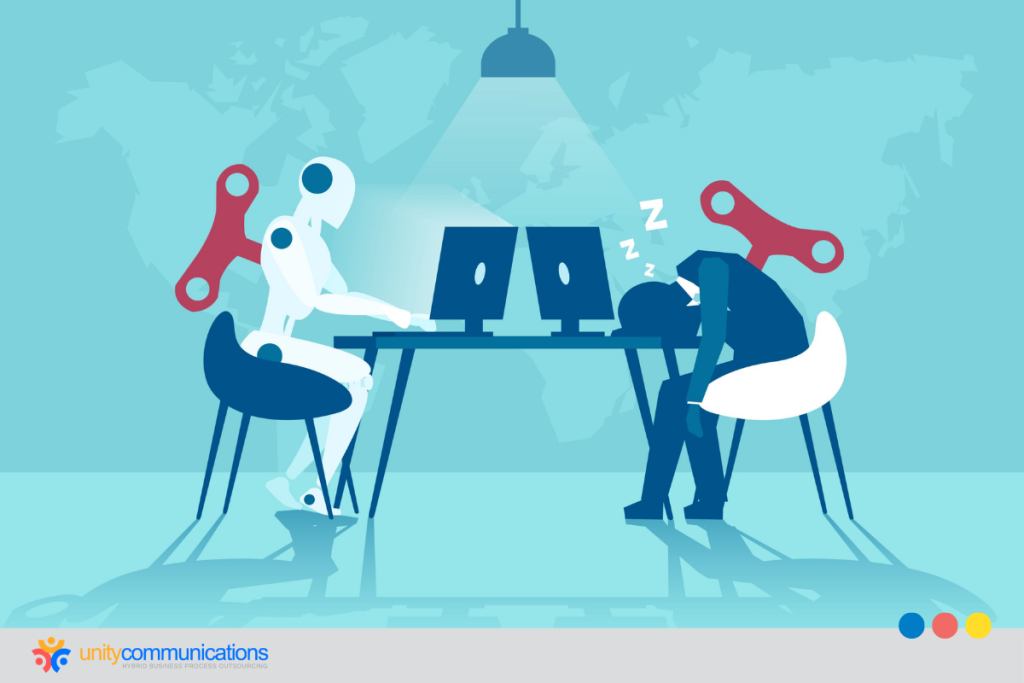
In the workflow automation hybrid model, AI handles the structured, high-volume, rule-definable layer of a process. Human specialists manage the exceptions, oversee quality, and continuously refine the workflow as conditions change. Neither side is doing the other’s job.
Here are intelligent automation examples:
- In a support queue, AI resolves routine cases and routes the rest to trained agents with full context attached.
- In a finance department, an AI agent clears the clean invoices, while a small team reviews only the flagged exceptions.
- AI continuously monitors a compliance function. A compliance officer investigates only what actually warrants it.
Contrary to what most people think, intelligent workflow automation does not mean “fully autonomous.” It means the workflow recognizes its own limits and passes the exception to a person. A system that automates everything is not more intelligent. It is less supervised, and that is a liability rather than an advantage. Mistakes can reach the customer or the regulator before anyone catches them.
How outsourcing fits into an intelligent workflow automation strategy
Building automation, integration, and human oversight simultaneously requires real infrastructure. Most businesses do not have the internal capacity to do that.
Outsourced process automation turns this from a multi-year build into a practical option. A BPO partner already has the infrastructure and process design in place, plus trained specialists who know how to run an intelligent automation BPO deployment. A business does not have to build any of that internally first.
BPO services extend well beyond running the automation. A BPO partner also staffs the customer-facing and back-office teams that work alongside it. It keeps quality steady and refines the process as volume and business needs shift. Outsourcing operational processes this way means one partner covers the technology and staffing previously handled by separate vendors, plus the oversight a business would otherwise manage alone.
Unity’s role: Automation with the oversight layer already built in
Unity Communications runs this model with clients today. Intelligent workflow automation is not software a client installs and manages on their own. Unity builds the human oversight tier in from day one. Automation runs the structured, high-volume parts of a process, and Unity’s specialists cover the exceptions. They monitor quality and refine the workflow as the business changes.
This is the hybrid model described throughout this article, built by a partner that already has the infrastructure and trained teams in place. Discipline and accountability make automation reliable at scale, not the software alone.