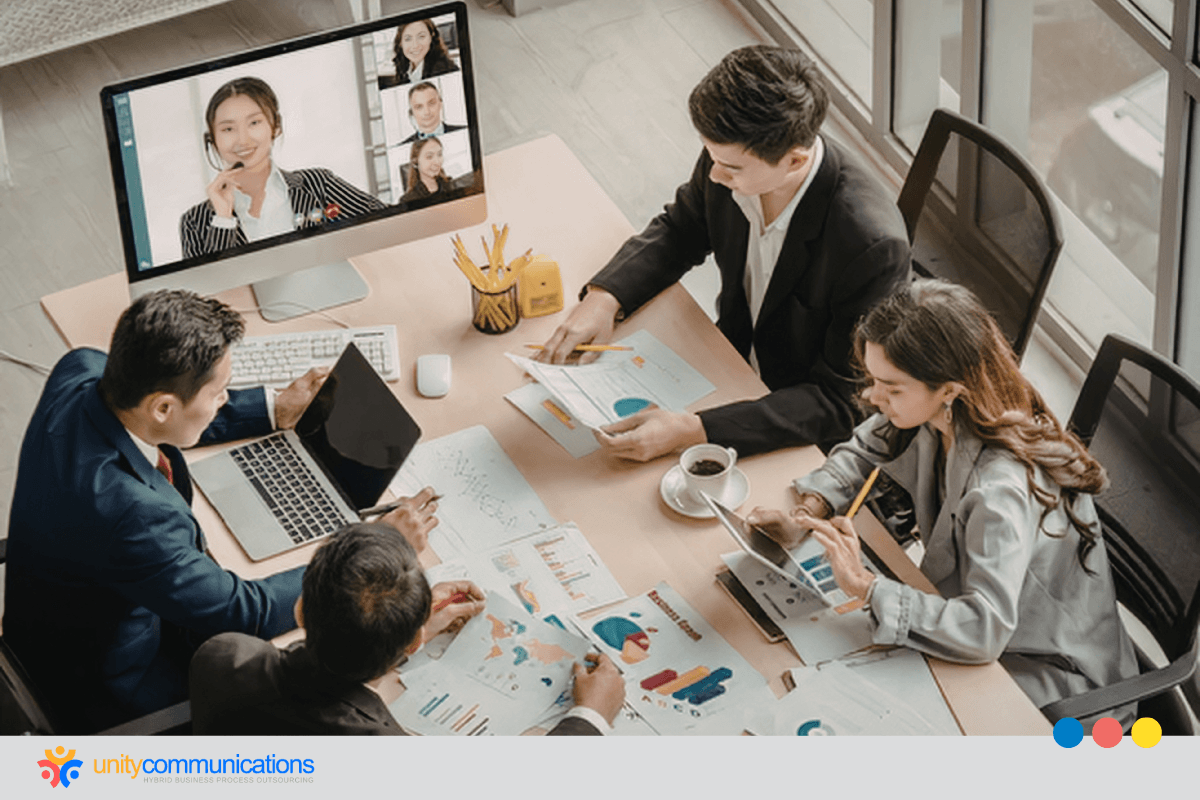


Most IT help desks were built for a single office, but that design struggles in a hybrid work environment. Single-office help desks depend on one shared network and desk-side visits, and neither reaches employees working from home.
IT teams need to provide support for different networks and devices. This guide explains what IT support for hybrid workforce teams should include and how to choose between an MSP and an outsourced help desk.

What does IT support for a hybrid workforce include?
IT support for a hybrid workforce gives remote and on-site employees one help desk, with consistent response times and security standards.
Remote and in-office IT support works best as a single service model built around the employee. That model usually includes:
- Unified ticketing that logs every request in one queue, regardless of where the employee is working
- SLA parity so a home-based employee waits the same amount of time for a fix as someone at an office desk
- A single point of contact that employees can reach through the same channels from any location
- Endpoint management for laptops and devices that move between home and the office
- Secure access controls such as multifactor authentication (MFA) and zero-trust policies that protect connections from any network
- Hybrid-ready onboarding and offboarding that provisions and recovers devices for remote and on-site hires alike
- Written rules for hot-desking, hoteling, and BYOD devices
- A defined on-site escalation path for hardware or network issues that remote troubleshooting cannot resolve
Why does office-centric IT support fall short in hybrid work?
Most IT support models were designed for a single office. Each device sat on the same network, and a technician could walk to any desk within minutes.
Hybrid work is different. According to Gallup, a May 2025 survey found that 51% of remote-capable U.S. employees work in a hybrid arrangement. An employee might connect through the corporate LAN on Monday and a home router on Tuesday using the same laptop. Their tickets often arrive through different channels depending on where they are that day.
Support teams still running office-first processes can end up giving faster help to on-site staff and slower, less consistent help to everyone else. Blended ticket data can hide the gap.
Getting IT support for distributed teams right starts with understanding where office-centric models fall short. The same pressures are pushing many companies to evaluate outsourcing as part of hybrid remote work models.
1. Device and endpoint variability
In a single office, IT typically standardizes hardware and controls every device on the network. That control weakens once devices leave the building. According to Cybersecurity Dive, Microsoft’s Digital Defense Report 2024 found that 92% of successful attacks originated from unmanaged devices.
Many employees plug into personal monitors and peripherals at home or shared docking stations on-site. Each combination introduces its own driver issues and configuration drift. Support teams need visibility into the device itself wherever it is and cannot assume a known office setup.
2. Inconsistent network environments
The office LAN is a controlled environment that IT manages and monitors. But home Wi-Fi is set up by the employee on consumer routers that IT does not manage. Public networks in coffee shops and airports add more risk and unpredictability.
When a remote employee reports slow application performance, the cause could lie anywhere between their router and the company’s cloud services, which makes diagnosis slower. Help desks supporting hybrid teams need tools that can isolate network problems outside the corporate perimeter.
Building a help desk coverage model for hybrid work
A hybrid workforce coverage model defines when support is available and how requests move through the queue. A hybrid workforce help desk needs rules that give every employee the same response time and ticket ownership, wherever they work.
Consistent IT support for hybrid workforce environments starts with these decisions:
1. Support hours across locations and time zones
Office-based help desks usually match support hours to the building’s schedule. Hybrid employees often work earlier or later from home, and distributed teams might span several time zones.
Support hours should follow when employees actually work. For teams spread across regions, a follow-the-sun model or an extended coverage window keeps response times consistent without leaving remote staff waiting until the next business day.
2. Escalation paths
Escalation should depend on the severity of the issue and the skills needed to fix it. The employee’s location should not factor in.
A remote employee with a failed laptop and an on-site employee with the same problem should follow the same path to Tier 2 or Tier 3 support. The only difference comes at the final step, when a hardware swap or on-site visit is needed.
3. Ticket routing and a single point of contact
Every request should land in one ticketing system and queue, regardless of the channel or the employee’s location. Routing rules should assign tickets by issue type and priority. Separate queues for remote and on-site staff tend to drift into two service levels over time.
A single point of contact gives employees one place to reach IT from anywhere. It also gives the help desk a full view of each user’s history.
What is SLA parity in hybrid IT support?
SLA parity means remote and in-office requests carry the same response and resolution targets, with set exceptions for shipping or dispatch.
The table below maps each part of the coverage model and shows where remote and in-office requests should match.
| Component | Remote Request | In-Office Request | Parity Required |
| Support hours | Home working hours across time zones, including early and late shifts | Office hours, plus the same extended windows | Yes |
| Ticket routing | One queue, assigned by issue type and priority | Same queue and rules | Yes |
| Escalation path | Tier 1 to Tier 2 and 3 by severity and skill | Same path | Yes |
| Response SLA | Target set by priority level | Same target | Yes |
| Resolution | Remote tools first, then shipment or field dispatch, with an SLA allowance | Remote tools or desk-side visits | Method varies |
The parity column marks what an employee can expect from any location. Hours, routing, escalation paths, and response targets must align because they determine how quickly a request is seen and who handles it.
The resolution row differs because a remote fix might need a shipped device, while an office fix might require a desk visit. But parity still holds on the outcome. The allowance for shipping or dispatch is written into the SLA with a fixed limit. Reporting remote and in-office results separately keeps blended averages from hiding a gap.
Endpoint management for devices in hybrid work
A laptop that moves between home and the office changes networks and peripherals every week, and its security conditions shift with each move. Endpoint management keeps that device configured and protected wherever it goes, which makes it a core part of IT support for hybrid workforce teams.
Unified device management across home and office
Hybrid environments need a single management platform that covers every company device, whether it connects to the office LAN or to a home router. Cloud-based tools such as Microsoft Intune and other unified endpoint management (UEM) platforms allow IT to enforce configurations and push software remotely.
They also give technicians real-time visibility into device health, so a ticket from a remote employee starts with the same diagnostic data as one from an office-based employee.
Patching and updates outside the corporate network
Office-centric patching relies on devices being connected to the corporate network. Cloud-delivered updates remove that dependency by pushing patches over any internet connection. IT should set deadlines for urgent updates and track compliance by device.
How IT support should handle hot-desking, hoteling, and BYOD
Hot-desking and hoteling remove the assumption that one person owns one desk. A booking record that links each reservation to a desk’s docking station and network port lets a ticket name the desk and the day.
Each desk carries a standard docking station and an asset tag. A QR code on the tag opens a ticket form with the desk number filled in. Network access control limits desk ports to enrolled devices. The hoteling system can send the help desk a morning list of booked desks so technicians can check the equipment before the employee arrives.
Bring your own device (BYOD) needs a clear line between personal and company data. A mobile device management policy can limit work apps to a managed container and wipe only that container at exit.
Before access is granted, each personal device must meet a policy-defined baseline, such as having a current operating system and device encryption. Conditional access then blocks work apps on any device that falls out of compliance. The help desk supports work apps on personal devices, and hardware repairs remain the owner’s responsibility.
Onboarding, offboarding, and repairs for a hybrid workforce
Onboarding and offboarding for a hybrid workforce follow a single checklist: a device ready before day one and access revoked at exit.
A remote hire cannot visit an IT desk, so shipping and first sign-in need a script that runs without a technician present. Offboarding carries more risk at a distance. Access ends at the same time in every location, and a prepaid shipping kit with a tracking label is used to return home-office devices.
Remote support falls short when a device needs physical repair or when an office network device stops working for several people. Advance-replacement shipping sends a working laptop to the employee before the failed one comes back. Remote and in-office requests share the same response target, and only the resolution target allows extra time for shipping.
Security gaps in hybrid IT support
Every location a hybrid employee works from adds a new entry point for attackers. Effective IT support for a hybrid workforce treats each connection as untrusted until verified, whether it comes from the office or a kitchen table.
Moving from VPN dependence toward zero trust
Many companies extended their office network to remote staff through virtual private networks (VPNs), which grant broad access once a user connects. A flaw in the VPN product can expose the systems behind it.
In January 2024, CISA issued an emergency directive on actively exploited Ivanti Connect Secure vulnerabilities, requiring federal agencies to apply mitigations and remove compromised products from their networks. Zero-trust access aims to reduce that exposure by verifying the user and device on every request and granting access only to the applications each role needs.
MFA and endpoint protection
MFA should apply to every login, including access from inside the office. Endpoint detection and response (EDR) tools monitor devices for threats on any network. The help desk plays a direct role, since MFA resets and lockouts are common tickets. A weak verification process for those requests can open the door to social engineering.
Compliance across locations
Regulations such as HIPAA or PCI DSS still apply when employees handle sensitive data from home. IT needs policies that cover screen privacy and local file storage, plus audit trails that consistently record access across all locations.
MSP vs. outsourced help desk for a hybrid workforce
Companies that outgrow an internal-only model usually choose between two paths. An MSP takes on broad IT management, often sharing responsibility with the in-house team. An outsourced help desk, often run by a business process outsourcing (BPO) provider, focuses on the frontline support employees rely on every day. Companies weighing IT support outsourcing should compare both against their team’s structure before committing.
| Factor | Co-Managed IT | Outsourced Help Desk |
| Main role | Network management and security monitoring | Frontline support across channels and time zones |
| Internal team | Keeps strategy and key decisions | Infrastructure stays internal or with another vendor |
| Fits best when | A small IT team needs specialist backup for cloud and endpoint platforms | Ticket volume or hours exceed internal staffing, including 24/7 needs |
When co-managed IT fits
Co-managed IT for hybrid workforce environments works best when the internal team handles strategy but lacks capacity for infrastructure work. Some MSPs focus more on systems than on frontline support. Ticket volume and response times are worth confirming before signing.
Unity’s work for an information technology company shows how co-management works with a BPO partner. The client needed 24/7 call handling and could not hire overnight staff, so a Unity Tier 1 team joined it with linked ticketing systems and shared SLAs and KPIs.
When an outsourced help desk fits
An outsourced help desk is a good fit when the main problem is coverage. The provider staffs frontline support across channels and time zones, giving remote and in-office employees the same access to help. Outsourced tech support for businesses can also scale up or down as headcount changes. Some companies combine both models, using an MSP for infrastructure and an outsourced help desk for day-to-day user support.
Unity’s offshore IT helpdesk team for an e-learning company shows this model. The client’s internal team handled about 700 tickets a day, and a Unity team in the Philippines managed tickets in Zendesk and addressed 90% of user requests within the second week.
In other words, co-managed IT shares infrastructure and security work with an MSP, while an outsourced help desk staffs frontline user support. Co-managed IT closes capacity gaps, and an outsourced help desk closes coverage gaps.
Which support model fits: In-house, MSP, or outsourced help desk?
A small team with mature IT can stay in-house, while infrastructure gaps point to an MSP and coverage gaps point to an outsourced help desk.
Use this checklist to choose a model. Tick every statement that describes the company today. The model named most often in the ticked lines fits best. When two models tie, address the gap that affects the most employees first.
Team distribution
- One region and one set of hours. In-house coverage usually holds.
- Several time zones or countries. An outsourced help desk covers the hours the in-house team cannot.
Ticket volume
- Queues grow after hours or during launches. An outsourced help desk absorbs the volume.
IT maturity
- Documented patching and device management. In-house fits.
- Network or security monitoring without an owner. An MSP fits.
- Cloud or endpoint platforms with no specialist on staff. An MSP fits.